Offers
How a car and a seller's answers become one offer, and the prices you set to move it.
- Bid multiple The share of a car's scrap value you offer the seller, and what you keep.
- Metal prices What each metal in a car is worth to you per pound, and the weights each price is paid on.
- Add-ons and deductions The dollars your site adds to the offer for a diesel truck.
- Enthusiast add-ons Extra dollars you add to the offer for vehicles a collector or rebuilder pays more for.
- Downturn hedge Lower steel and aluminum prices ahead of a forecast fall in the scrap market, and crush and ship before it lands.
Offers is where you set what your site pays: each car's scrap value, worked from the prices on this page, the answers the seller gave on the form and your bid multiple, or one flat rate for every car. You set the numbers once; your site does the rest on every quote.
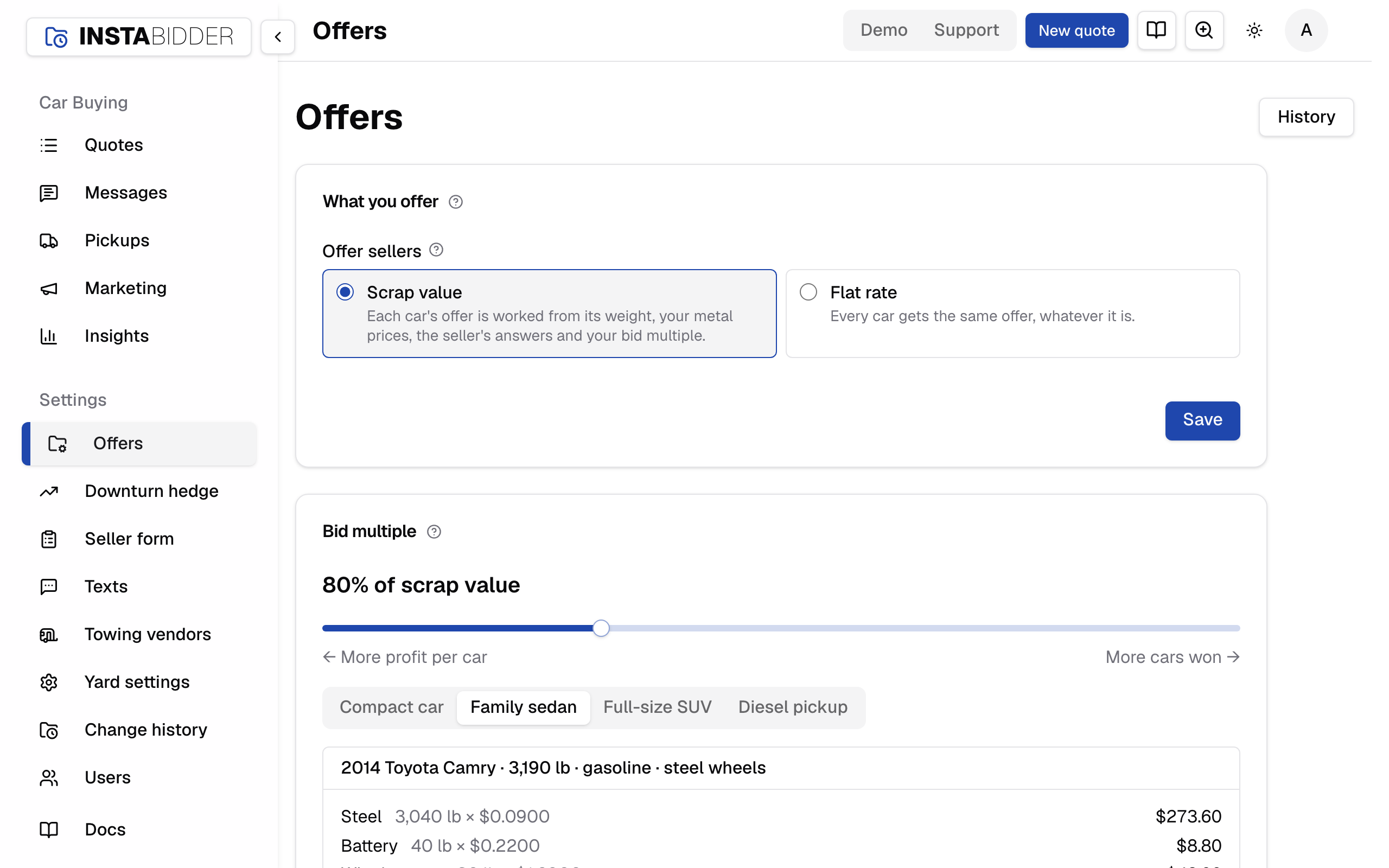
The page has five cards:
- What you offer: scrap value, or one flat rate for every car.
- Bid multiple, the lever you'll move most, with Try a car to see an offer worked before you save.
- Metal prices: what you're paid per pound, and the weights each price is paid on.
- Add-ons and deductions: the diesel truck add.
- Enthusiast add-ons: extra dollars for particular vehicles.
Each card has its own Save and saves only its own numbers, so saving one card never changes another. After a save the page says "Saved." at the top and takes you back to that card.
The Downturn hedge has its own page in the sidebar.
What you offer
How your site arrives at an offer: each car's scrap value, or one flat rate for every car. Only offers made after you save use the new choice.
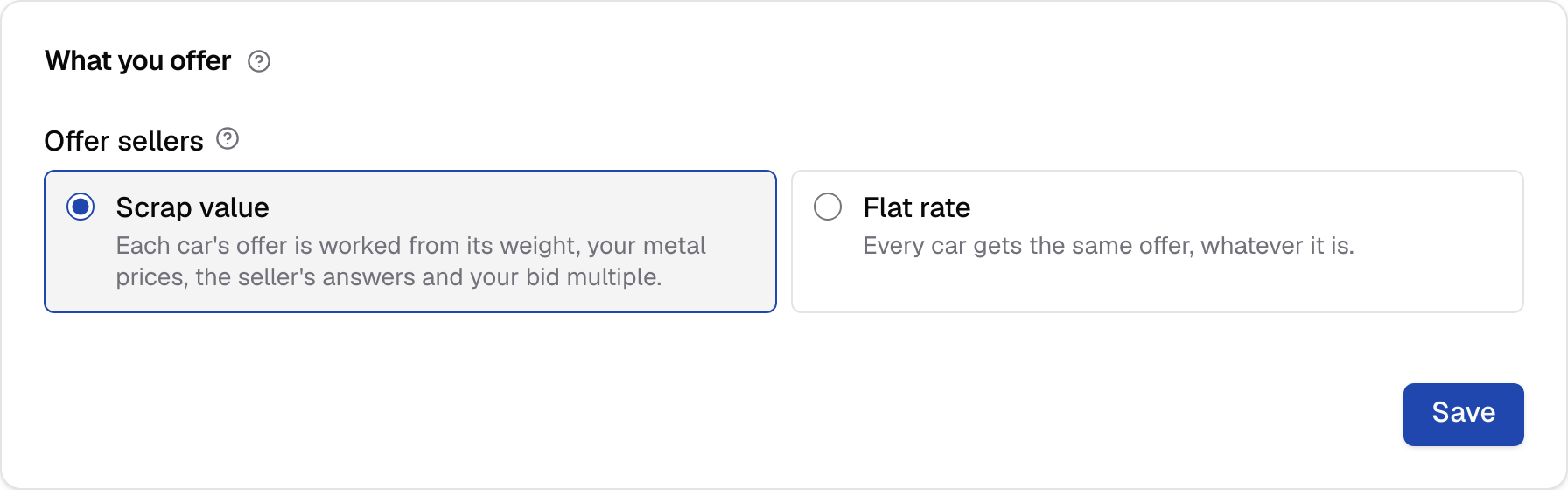
A new site offers scrap value, and nothing changes until you pick Flat rate and save. Offers already made keep their amount whichever way you switch: a seller told $640 yesterday still sees $640 today.
Offer sellers
Scrap value works each offer from the car's weight, your metal prices, the seller's answers and your bid multiple. Flat rate gives every car the same offer, whatever it is.
Pick one and press Save. Picking Flat rate shows the box for the amount.
Flat rate
The dollars every car is offered while Flat rate is picked, from $1 to $100,000 in whole dollars. Nothing is added to it or taken off.
Flat means flat. A compact car and a diesel pickup get the same number, and so does a car with every deduction on your form:
- No weight, metal price, answer value, add-on or bid multiple goes into it.
- No downturn cut lowers it.
- The tow isn't taken out of it, even when Instant offers backs the tow out of your scrap value offers.
What doesn't change:
- Who gets an offer. A seller outside your service area is still turned away, and a car our vehicle list can't weigh still gets no offer. The flat rate sets the amount of an offer, never whether one is made.
- The form. Sellers answer the same questions, and their answers are on the quote for you to read. They don't move the offer.
- Changing one seller's offer. You can still revise an offer on its quote.
While a flat rate is on, the Bid multiple, Metal prices, Add-ons and deductions and Enthusiast add-ons cards, and the Downturn hedge page, each say "Not used while you offer a flat rate". What's saved on them is kept, and you can still change it, ready for when you go back to scrap value. Try a car shows the flat rate for every car, and a quote's How it was worked shows a Flat rate line and the offer.
To go back, pick Scrap value and save. New offers are worked from your numbers again, exactly as they were. The flat rate box is cleared, so enter the amount again if you return to a flat rate.
A blank amount, cents, $0 or anything over $100,000 is refused: "Enter a flat rate from $1 to $100,000, in whole dollars."
How an offer is made
With Scrap value picked, each offer is worked the same way, in this order:
- The car's weight and metals. The year, make, model and trim the seller picks tell your site the car's curb weight, whether it's on aluminum wheels, and whether it's a diesel truck, from our vehicle list. The seller is never asked for a weight. The steel in the shell, the wheels, the battery and the wire harness are each priced at your metal prices.
- The answer values. Each answer on your form carries dollars you set, added or taken off: a car that starts and drives might add, a missing converter might take off. You set them beside each answer on the Seller form.
- Add-ons. The diesel truck add and any enthusiast add-on that covers the car. A car gets at most one enthusiast add-on.
- The bid multiple. Everything above adds up to the car's scrap value. The bid multiple is the share of it you offer. The result is rounded once, to whole dollars, and is never below $0.
When the downturn hedge is on and a cut is in force, step 1 uses your steel or aluminum wheels price less the cut. Nothing else changes.
An example
A 3,200 lb car on aluminum wheels that starts and drives, with its converter missing, at example prices:
| Line | Working | Amount |
|---|---|---|
| Steel | 3,050 lb × $0.08 | $244.00 |
| Aluminum wheels | 80 lb × $0.60 | $48.00 |
| Battery | 40 lb × $0.50 | $20.00 |
| Wire harness | 30 lb × $1.00 | $30.00 |
| Starts and drives | +$50.00 | |
| No catalytic converter | −$40.00 | |
| Scrap value | $352.00 | |
| Bid multiple | × 80% | |
| Offer | $282 |
The steel is paid on the shell weight: 3,200 lb less the wheels, battery and harness, which are priced as themselves.
Note
A new site starts with every price, answer value and the bid multiple at 0, so it offers $0 until you enter your numbers.
A car our vehicle list can't weigh
An offer is never made without a weight. When a plate or VIN finds a car our vehicle list can't weigh, the form tells the seller it found their car but can't price it from that, and asks them to pick it from the year, make and model lists instead.
When the trim isn't known
Trim can change the weight, and it decides which enthusiast add-ons apply.
- A seller who picks Not sure on the trim list is priced as the model's Base trim, or its lightest trim when there's no Base.
- A VIN that could be one of several trims doesn't ask the seller to pick. The quote keeps every trim the VIN allows, and the trim counts as not known.
- With the trim not known, only add-ons that cover every trim apply. When one for a particular trim would have paid more, the quote shows If they know the trim.
What you see and what a seller sees
You see the whole breakdown: each metal at its price, each add-on and answer value, the scrap value, the multiple and the offer. A seller sees only the offer.
The breakdown is on the quote, in How it was worked, and on this page under Try a car. Answers worth $0 are left out of it.
A seller sees one number, the offer. Never the weight, a metal price, an answer value, an add-on or the multiple, on any screen, text or message. Keep the breakdown to yourself when you talk to a seller too: quote the price.
Offers are good for 7 days
An offer is fixed the moment a seller first sees it, and it stands for 7 days. Coming back to the form doesn't reprice the car or move the deadline. The date it ends is in your time zone, as it was when the offer was made.
Changing a price, an answer value, an add-on, the bid multiple or what you offer changes only offers made after the save. Offers already made keep the prices they were made with, and their breakdown still shows those prices.
A seller who comes back after the 7 days sees that the form has expired and can start again for a new offer at your prices then. See When the form starts over.
Revising an offer
To give one seller a different number, revise the offer on their quote. The seller sees only the revised offer, on the form and in every text, and never the online figure or your reason.
The seller isn't told on their own: text or call them with the new number. Change the offer has the steps.
Who can change prices
Everyone who signs in can see Offers. Only an Admin can save a change. Every save is in History at the top of the page: who changed what, and when.
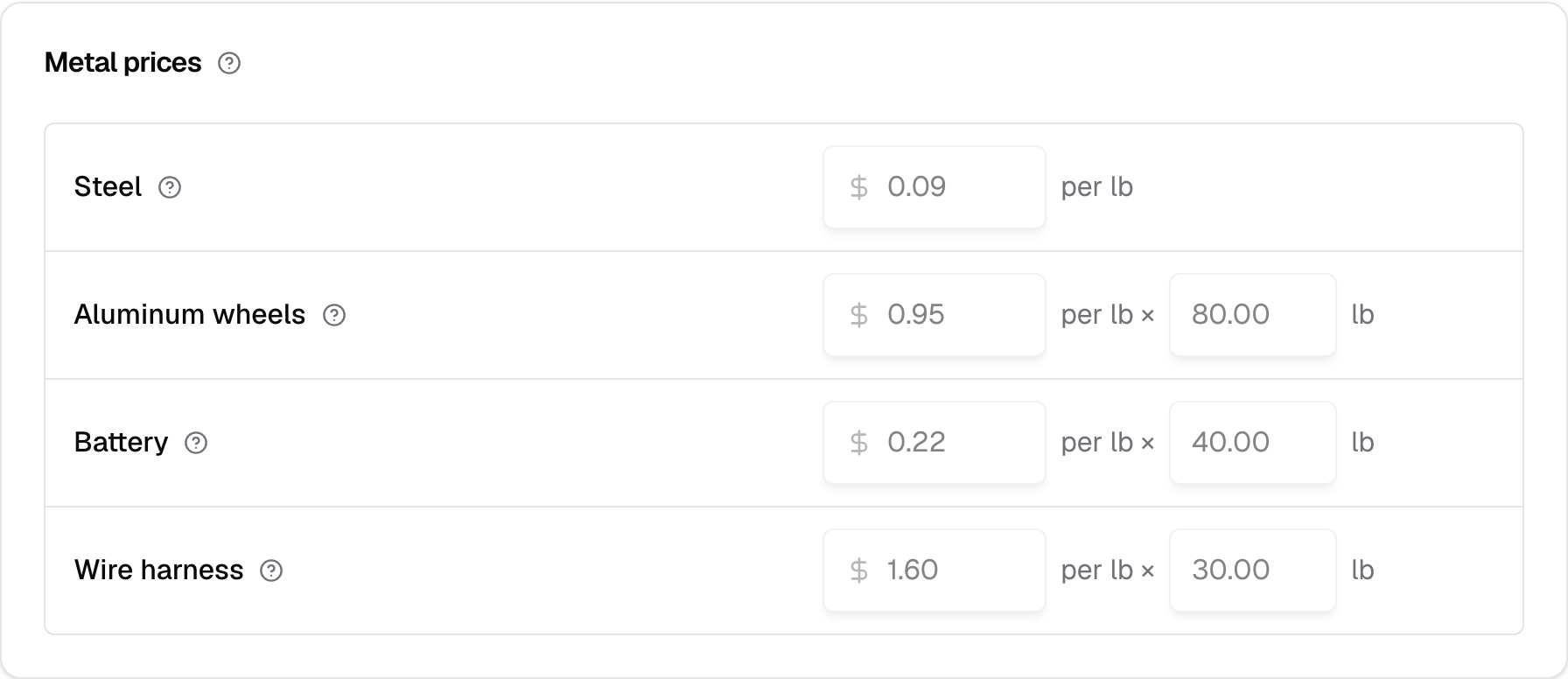
Staff see every card with its numbers, read-only: the boxes and the slider are greyed out, and there's no Save, no Add vehicles, and no edit or Remove on an add-on. The Try a car tabs still work, so Staff can see how an offer is worked. Roles has the rest.
If someone else saved a card after you opened the page, your save is refused with their name, and your numbers stay in the boxes. Save again to replace theirs. See Changes made at the same time.